WhatsApp for Schools: Answer Every Parent in Seconds (2026)
WhatsApp for schools lets AI answer parent questions about fees, admissions and timings in seconds, even after office hours, while your staff handle the rest.
On this page
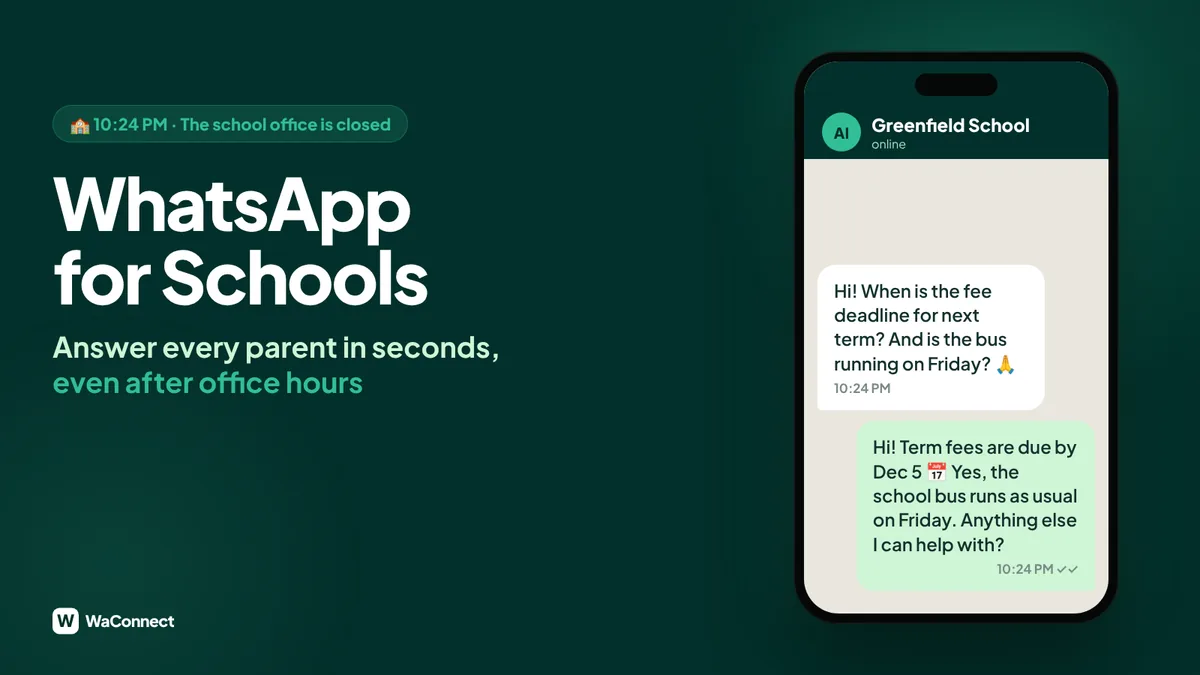
It’s 10:24 PM. A parent wants to know the fee deadline for next term. Then another asks if the school bus runs on Friday. But the office closed hours ago. So both messages wait until morning, along with a pile of the same questions. WhatsApp for schools fixes that: every parent gets a fast answer, and your staff stay free for the work that needs them.
In this guide, you’ll see how WhatsApp for schools works with waconnect.ai, what the AI can answer, and how to set it up on the number parents already use.
What Is WhatsApp for Schools?
WhatsApp for schools means answering parents on WhatsApp. It covers admissions, fees, timings and school life. After all, parents already use WhatsApp every day. As a result, school WhatsApp feels easier than calling the office or sending an email.
With waconnect.ai, WhatsApp Business for schools gets smarter. AI replies on your school’s own number. It uses your website and documents, like your fee schedule and calendar. And when a chat needs a person, it goes straight to your staff.
Why Parents Prefer School WhatsApp
First, parents are busy. They message whenever they get a free minute, which is often after work or late at night.
It’s instant. Parents get an answer in seconds, even after office hours.
It’s familiar. No new app, no login, no portal to remember.
It’s personal. A chat feels warmer than a notice or a long email.
It’s easy to share. Forms, links and dates land right in the chat.
That’s why WhatsApp for school communication keeps growing. For your school, that means fewer calls and a calmer office. It also turns more inquiries into enrollments.
What the AI Answers for Your School
In fact, most parent messages repeat the same questions every week. That’s where a school WhatsApp chatbot saves your staff hours. With waconnect.ai, the AI answers from your school’s own information:
Admissions: “How do I apply for Grade 3?” “Is there an entrance test?”
Fees and payments: “When is the fee deadline?” “Can I pay in installments?”
Timings and holidays: “What time does school start?” “Is school open on Monday?”
Transport: “What time is the bus pickup?” “Does the bus cover our area?”
Uniforms and supplies: “Where can I buy the uniform?” “What’s on the book list?”
Policies: “What is the leave policy?” “How do I report an absence?”
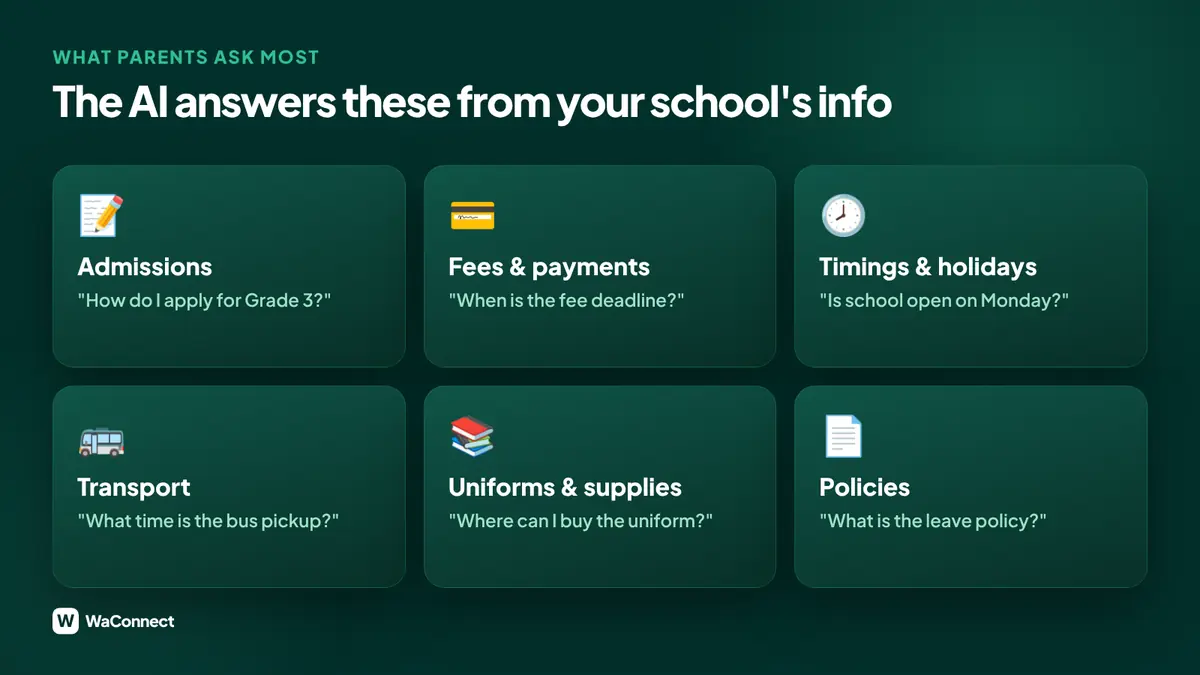
The AI answers from what you upload. So keep your fee schedule, calendar and policies up to date, and the answers stay accurate.
How WhatsApp for Schools Works With waconnect.ai
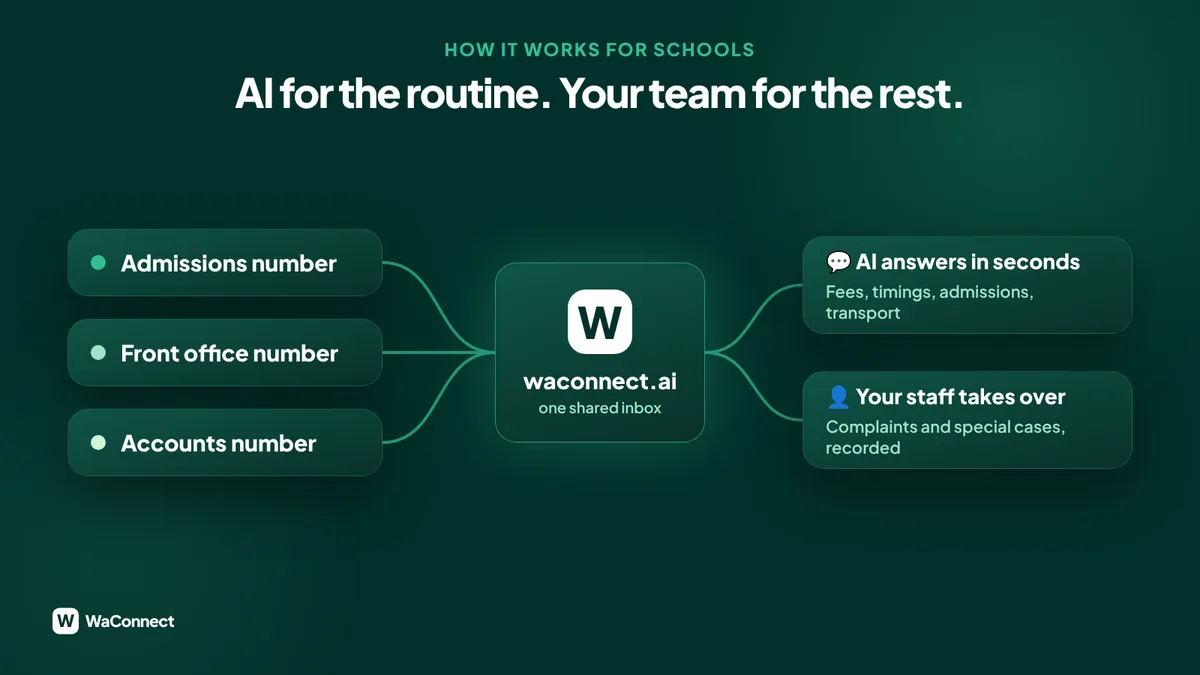
waconnect.ai gives your school AI replies, one shared inbox and smart handover, all on WhatsApp.
Your Number Stays Yours
To start with WhatsApp for schools, you connect your existing school number by scanning a QR code. It links like WhatsApp Web, so parents keep messaging the number they already know.
One Inbox for Every Number
Many schools run separate numbers for admissions, the front office and accounts. waconnect.ai brings them all into one shared inbox. That way, your team sees every parent conversation in one place.
Access for Each Teammate
You choose which areas each person can open. For example, the accounts team sees fee chats, while admissions handles new inquiries.
Your Staff Takes Over When It Matters
Some chats need a person, such as a complaint, a special case or a sensitive question. The AI hands those chats to your staff and records them as escalations. Meanwhile, parents interested in admission are recorded as leads, so your team can follow up.
24/7 or Office Hours
Finally, you decide when the AI replies. Run it around the clock, or only during the hours you set.
How to Set Up WhatsApp for Your School in 4 Steps
Setting up WhatsApp for schools with waconnect.ai takes a few minutes:
Sign up at waconnect.ai.
Connect your school number. Open WhatsApp, go to Settings → Linked devices → Link a device, and scan the QR code.
Add your school info. Add your website and upload documents such as your fee schedule, calendar and policies.
Choose your hours. Pick 24/7 or office hours, then add your staff to the shared inbox.
And that’s it. From then on, the AI answers routine parent questions while your staff handle the rest.
10 School WhatsApp Message Ideas
Use these examples to see how a school WhatsApp chat can sound. Change the details to match your school.
Welcome: “Welcome to [School Name]! 🏫 How can we help you today?”
Admissions: “Admissions for [year] are open. Apply here: [link]”
Fees: “Term fees are due by [date]. You can pay online here: [link]”
Timings: “School starts at [8 AM] and ends at [2 PM], Monday to Friday.”
Holiday: “School is closed on [date] for [holiday]. Classes resume on [date].”
Transport: “The bus reaches [area] at [7:15 AM]. Please be ready 5 minutes early.”
Uniform: “Uniforms are available at [shop] or the school office.”
Absence: “To report an absence, reply with your child’s name and class.”
Events: “Parent-teacher meeting is on [date] at [time]. See you there!”
Results: “Term results will be shared on [date] through [portal/link].”
Best Practices for School WhatsApp
Keep your info current. WhatsApp for schools works best when fees, dates and policies are always up to date.
Write in your school’s voice. Warm, clear and respectful works for every parent.
Hand over the sensitive moments. Complaints, special cases and personal matters should reach a person fast.
Share links, not long texts. Send your admission form, calendar or fee page instead of long messages.
Check your inbox weekly. See which questions come up most, then fill any gaps in your documents.
Want ready-made replies for evenings and holidays? See our WhatsApp away message samples.
WhatsApp for Schools FAQ
What is WhatsApp for schools?
It’s using WhatsApp to answer parents and students about admissions, fees, timings and school life. With waconnect.ai, AI replies in seconds and your staff handle the rest.
Can AI answer parents on WhatsApp after office hours?
Yes. waconnect.ai answers from your website and documents, and you choose 24/7 or office hours.
Do we need a new number for school WhatsApp?
No. You connect your existing school number by scanning a QR code.
Can we manage admissions, front office and accounts numbers together?
Yes. waconnect.ai brings every number into one shared inbox, and you choose what each teammate can see.
What happens with complaints or sensitive questions?
The AI hands those chats to your staff and records them as escalations, so nothing slips through.
Give Every Parent a Fast Answer
Parents are already on WhatsApp, so WhatsApp for schools is the easiest upgrade your office can make. With waconnect.ai, every question gets an answer in seconds. Meanwhile, your staff stay free for the people in front of them.
Start free at waconnect.ai