WhatsApp AI Chatbot for Business: How It Works (2026)
A WhatsApp AI chatbot answers customers instantly from your website, documents and Shopify store. See how it works, real examples and setup steps.
On this page
Your customers ask the same questions on WhatsApp every day. Are you open? How much is it? Is it in stock? Can I book for Friday? A WhatsApp AI chatbot answers all of them in seconds, using your own business information, so your team only handles the conversations that need a person.
This guide explains how a WhatsApp AI chatbot works, how it learns your business, what it can do for different industries, and how to set one up on the number you already use.
What Is a WhatsApp AI Chatbot?
A WhatsApp AI chatbot is software that reads each customer message on WhatsApp and writes a reply, the way a trained team member would. It understands questions written in everyday language, finds the answer in your business information, and replies instantly.
A WhatsApp AI chatbot for business typically handles:
Questions about your business: hours, location, prices, services, policies
Product and stock questions: sizes, colors, availability, delivery
Bookings and appointments: dates, times, number of guests
Leads: collecting the details of people who are ready to buy
Handover: passing complaints and unusual requests to your team
Rule-Based Chatbot vs WhatsApp AI Chatbot
There are two types of WhatsApp chatbot, and they work very differently.
A rule-based chatbot follows a fixed menu: “Reply 1 for hours, 2 for prices, 3 to book.” It works for simple flows, but any question outside the menu gets stuck.
A WhatsApp AI chatbot understands the question itself. A customer can write “Can I bring my dog to the terrace?” and get a real, accurate answer from your own policies.
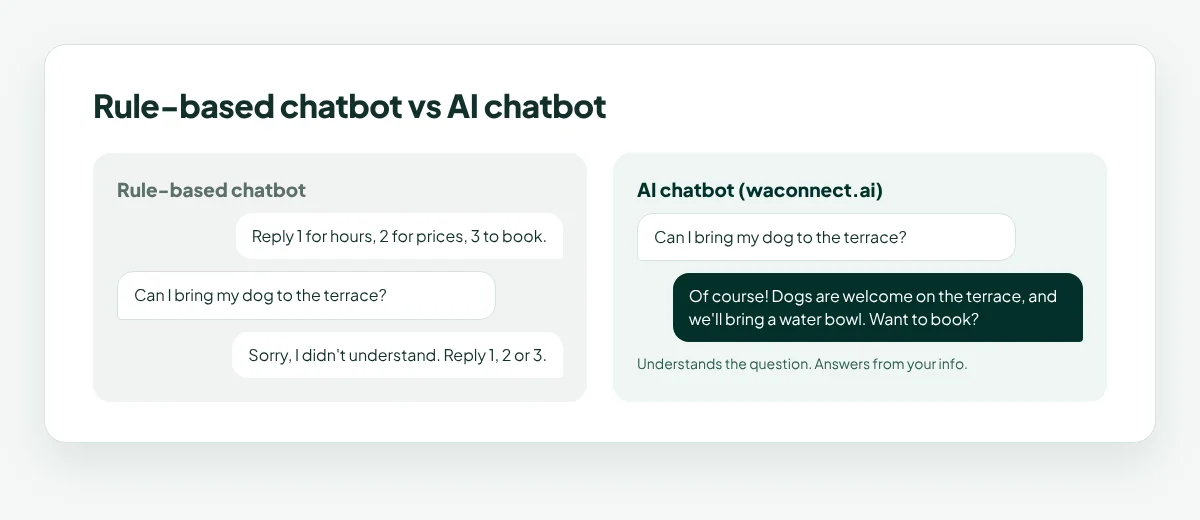
For most small businesses, an AI chatbot for WhatsApp is the better fit, because customers rarely follow a menu. They just ask.
How a WhatsApp AI Chatbot Learns Your Business
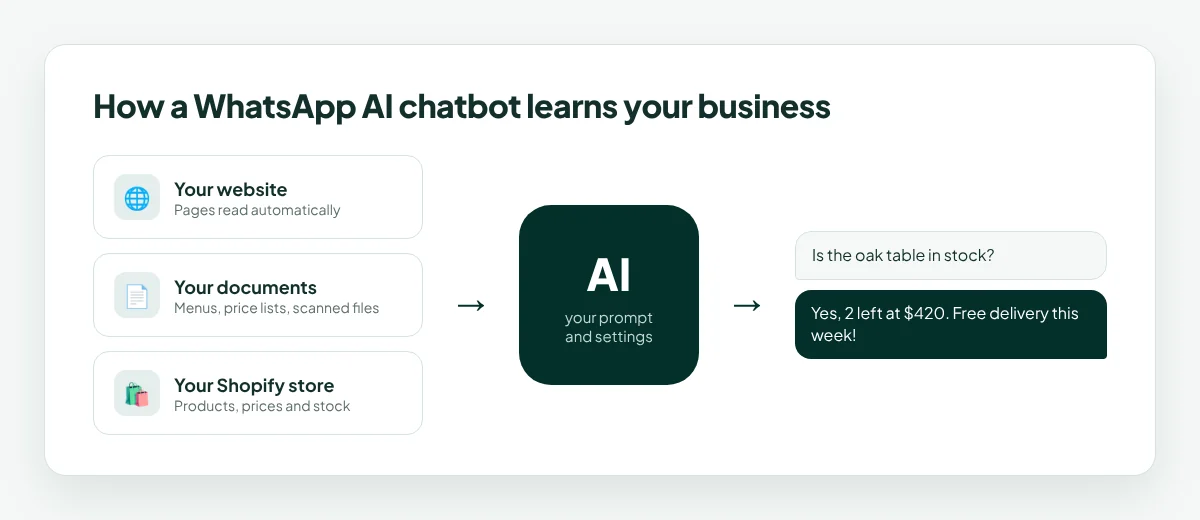
An AI chatbot is only as good as what it knows. With waconnect.ai, you train it in three ways:
Your website: add your website and the AI reads your pages automatically, including your services, policies and FAQs.
Your documents: upload menus, price lists, brochures, policies or guides. Scanned documents work too.
Your Shopify store: connect your store, and the AI knows your products, prices and stock levels.
You also set the AI’s prompt and settings: its tone, what it should focus on, and how it should reply. When something changes, like a new menu or new prices, you update the source and the AI uses the new information.
What a WhatsApp AI Chatbot Can Do for Your Business
Answer repeat questions instantly
The questions you answer most, such as hours, prices and location, get a correct answer in seconds, at any time of day.
Answer product and stock questions
With Shopify connected, the AI can tell a customer that the blue jacket is in stock in size M, how much it costs, and offer to reserve one.
Help with bookings
The AI can share available times, confirm details and guide customers to book, so fewer enquiries are lost between messages.
Capture leads
When a customer shows interest, the AI records them as a lead for your team to follow up.
Hand over to a human
Complaints and unusual requests go straight to your team, and the AI records them as escalations so nothing gets missed.
Work 24/7, or only during your hours
You choose. The AI can answer around the clock, or pause outside your business hours.
WhatsApp AI Chatbot Examples by Industry
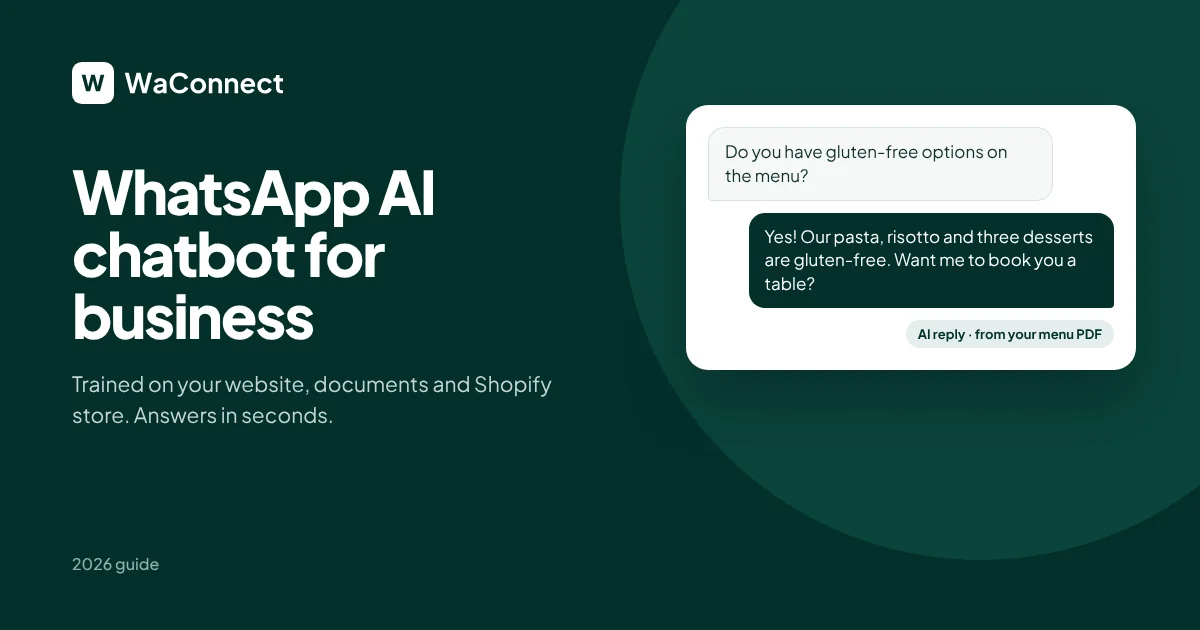
Restaurants: “Do you have gluten-free options?” The AI answers from your menu PDF and offers to book a table.
Clinics: “Are you open Saturday? How much is a check-up?” The AI answers from your opening hours and price list.
Salons: “Do you have time for a haircut today?” The AI shares available slots and your price list.
Online stores: “Is the oak table in stock?” The AI checks your Shopify stock and replies with the price and delivery details.
Hotels: “Is breakfast included? What time is check-in?” The AI answers from your guest information document.
Property managers: “Is the 2-bedroom apartment still available?” The AI answers from your listings and collects the enquirer’s details as a lead.
How to Set Up a WhatsApp AI Chatbot in 5 Steps
Sign up at waconnect.ai. New businesses start with 500 free credits.
Connect your number. Open WhatsApp on your phone, go to Settings → Linked devices → Link a device, and scan the QR code. It works with your existing WhatsApp or WhatsApp Business number.
Train the AI. Add your website, upload your documents, and connect Shopify if you sell online.
Set your prompt and hours. Choose the AI’s tone, and whether it replies 24/7 or only during business hours.
Invite your team. Everyone works from one shared inbox, with chats assigned to the right person.
That’s it. The AI starts answering new messages straight away.
WhatsApp AI Chatbot Best Practices
Give it complete information. Upload your full menu, price list and policies so the AI can answer confidently.
Keep sources up to date. When prices, hours or stock change, update the source the AI reads from.
Set a clear tone. Friendly and short works best on WhatsApp.
Review the inbox weekly. Look at the questions customers ask and add any missing information.
Let your team take over when it matters. Use the handover for complaints, big orders and special requests.
How Much Does a WhatsApp AI Chatbot Cost?
With waconnect.ai, you pay per message with prepaid credits:
$0.005 per text message
$0.007 per photo or document
Replies you type on your phone are free
New businesses start with 500 free credits, and credits never expire
That makes AI replies affordable for even the smallest business. You can top up from $5 to $1,000 whenever you need.
How waconnect.ai Works as Your WhatsApp AI Chatbot
waconnect.ai is a WhatsApp AI chatbot built for small and growing businesses:
Instant AI replies trained on your website, documents and Shopify store
Your existing number, connected by QR code in about 2 minutes, with no Business API
24/7 or business hours, your choice
Smart handover, with complaints and unusual requests going to your team, recorded as escalations
Leads recorded automatically for your team to follow up
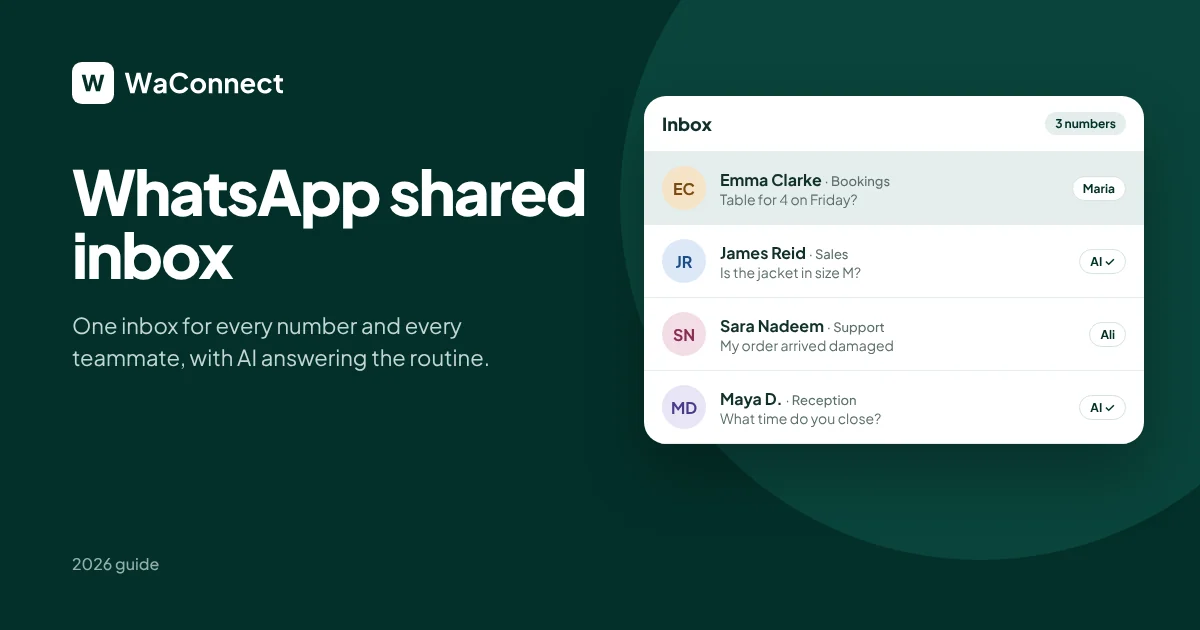
One shared inbox for every number and every teammate
Campaigns to customers who have messaged you, with sent, seen and replied analytics
A developer API and signed webhooks to connect your own systems
For ready-made replies to start with, see our 30 WhatsApp Business auto reply message samples.
New to automation? Start with our WhatsApp automation guide.
WhatsApp AI Chatbot FAQ
What is the best WhatsApp chatbot for business?
The best WhatsApp chatbot for business is one trained on your own information, so it answers accurately. waconnect.ai learns from your website, documents and Shopify store, and replies on your existing number.
Can I use a WhatsApp AI chatbot on my existing number?
Yes. waconnect.ai connects your current WhatsApp or WhatsApp Business number by scanning a QR code from Linked devices.
Do I need coding skills to set up a WhatsApp AI chatbot?
No. You add your website, upload documents and connect Shopify from the dashboard. Developers can also use the API and webhooks.
Can the AI answer questions about my products and stock?
Yes. Connect your Shopify store, and the AI answers product, price and stock questions from it.
Can a WhatsApp AI chatbot work 24/7?
Yes. You can let the AI reply around the clock, or set it to reply only during your business hours.
What happens when a customer needs a real person?
The AI hands complaints and unusual requests to your team in the shared inbox and records them as escalations.
How much does a WhatsApp AI chatbot cost?
With waconnect.ai, a text message costs $0.005 and a photo or document $0.007. New businesses start with 500 free credits.
Give your WhatsApp an AI that knows your business
Connect your number in 2 minutes and start with 500 free credits.
Start with 500 free credits at waconnect.ai