How to Send Bulk WhatsApp Messages Without Getting Banned
Learn how to send bulk WhatsApp messages without getting banned: broadcast limits, safe sending rules, opt-outs and the best tools for small businesses.
On this page
You want to send bulk WhatsApp messages to your customers: a weekend offer, a reminder, a new menu. But you’ve also heard the stories about business numbers getting restricted after one big send. Both are real. The difference between a campaign that works and a number that gets blocked usually comes down to who you message, how fast you send, and whether people can opt out.
This guide covers the three ways to send bulk WhatsApp messages, why numbers get banned, nine rules for sending safely, and copy-paste templates that don’t feel like spam.
Can You Send Bulk WhatsApp Messages?
Yes. Businesses send bulk WhatsApp messages every day for offers, reminders, updates and announcements. WhatsApp itself offers broadcast lists for this, and there are tools that take it further.
WhatsApp restricts spam and unauthorized bulk messaging: unwanted messages to people who never asked to hear from you. A WhatsApp blast message to a bought list of strangers is the fastest way to get your number restricted. A personalized message to customers who already chat with you is normal business.
There is no method that makes bulk messaging completely ban-proof. Any tool that promises “zero ban risk” is not being honest. What you can do is follow the rules that keep the risk low.
Why WhatsApp Numbers Get Banned for Bulk Messaging
WhatsApp watches for patterns that look like spam. The most common triggers are:
Many people blocking or reporting you. If recipients don’t recognize you or didn’t want the message, they report it.
Messaging people who never contacted you. Cold, unsolicited messages to unknown numbers are the classic spam pattern.
Sending too much, too fast. Hundreds of identical messages in a few seconds don’t look like a human business.
Identical copy-paste text. The exact same message sent to everyone looks automated.
Brand-new numbers sending big volumes. A number that’s a day old and sends 500 messages looks suspicious.
Almost every ban comes back to one thing: people didn’t want the message. Fix that, and most of the risk goes away.
3 Ways to Send Bulk WhatsApp Messages
1. WhatsApp broadcast lists (free)
Broadcast lists are built into the WhatsApp and WhatsApp Business apps. You pick contacts, write one message, and each person receives it as a private chat. Replies come back to you individually.
They come with real limits:
A broadcast list holds up to 256 contacts.
Only people who have saved your number in their phone receive the message. Everyone else is silently skipped.
Broadcast lists can’t be created on WhatsApp Web or desktop, only on your phone.
There are no proper campaign stats, no scheduling and no team inbox.
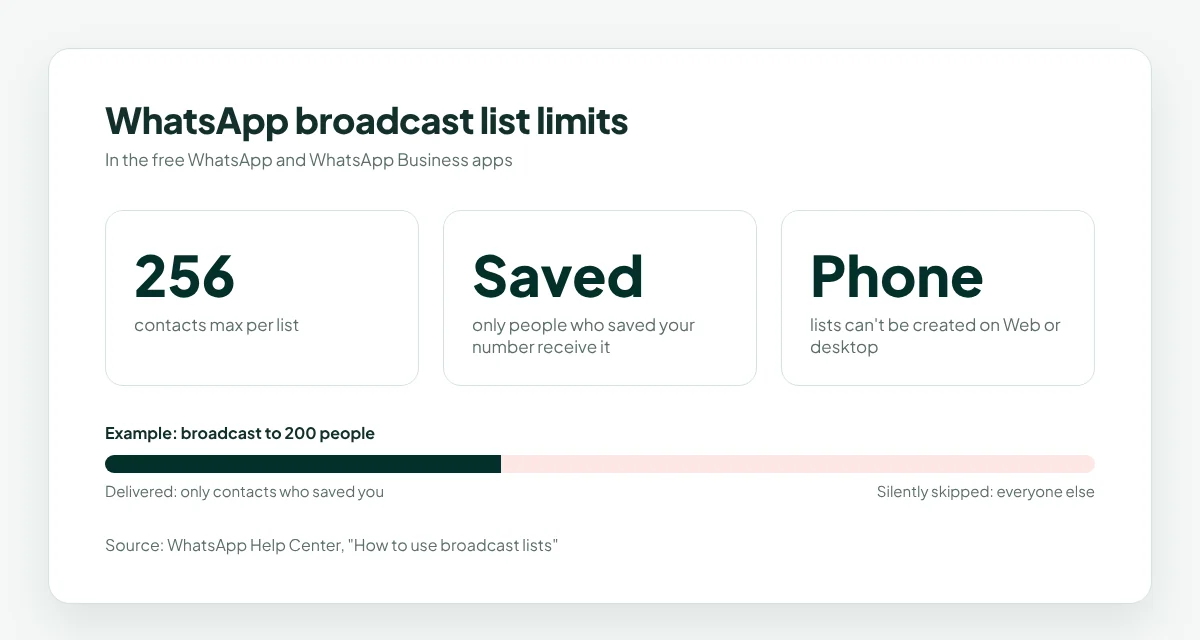
Broadcast lists are fine for a small business with a loyal customer base who have saved your number. They break down as soon as you need to send WhatsApp messages to multiple contacts at scale, or track who replied.
2. The official WhatsApp Business API
The official API is built for large companies. It can reach people who haven’t saved your number, as long as they opted in, and supports full automation and integrations.
The trade-offs:
You need a Meta-approved provider and business verification.
Marketing messages must use pre-approved templates.
You pay per conversation or message, on top of the provider’s fee.
Setup can take days or weeks, and it usually needs a dedicated number.
It’s the right choice for big brands sending high volumes. For a small business, it’s often more process than the job needs.
3. Linked-device platforms (like WaConnect)
Linked-device platforms connect your existing WhatsApp number by scanning a QR code from WhatsApp’s Linked devices screen, the same way WhatsApp Web works. You keep your number, there’s no Business API approval, and you get a dashboard for campaigns, a shared inbox and AI replies.
The responsibility is yours: because you’re using your normal number, you must follow WhatsApp’s rules on bulk messaging. A good platform helps by building safety into how messages are sent, but no tool can make spam safe.
How to Send Bulk WhatsApp Messages Without Getting Banned: 9 Rules
These rules apply whichever method you use to send bulk WhatsApp messages.
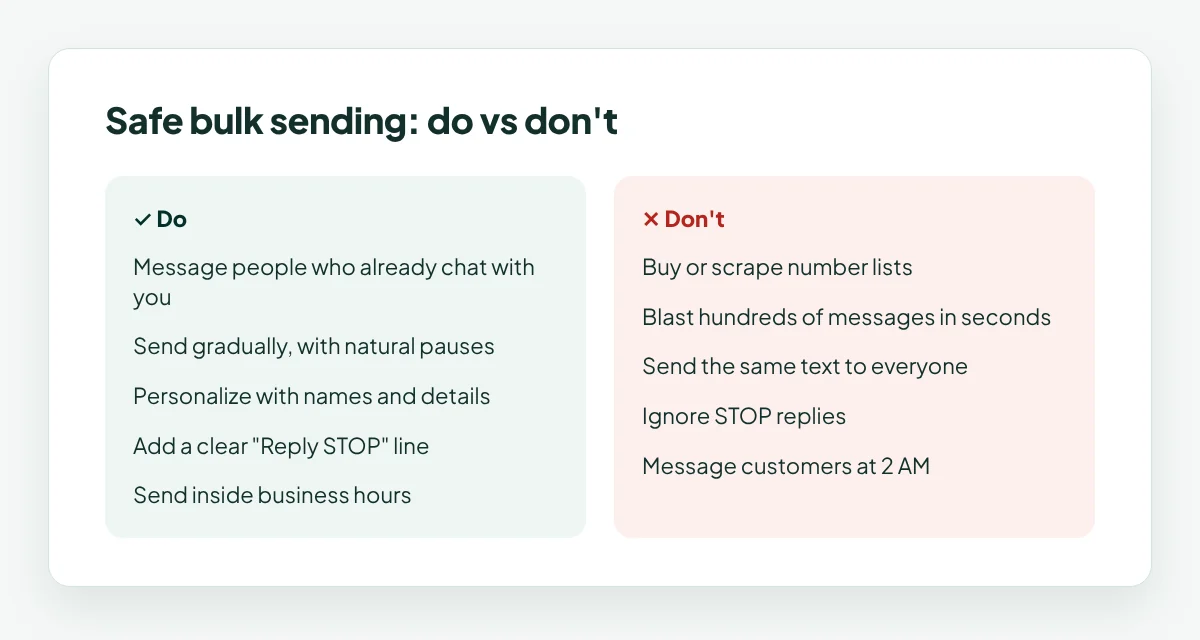
Only message people who already know you. Customers who have chatted with you, booked with you or opted in. Never buy, rent or scrape number lists.
Send gradually, not all at once. Spread messages out with natural pauses between them. A slow, steady send looks like a real business.
Personalize every message. Use the customer’s name and a relevant detail. “Hi Emma, your usual table is free Saturday” beats “Dear customer”.
Give people an easy way out. Add a line like “Reply STOP to opt out”, and remove anyone who replies STOP immediately.
Send during business hours. Messages at 2 AM get blocked and reported. Stick to the hours your customers expect to hear from you.
Keep it relevant. Send offers to the people they’re for. A school-fee reminder to parents is useful; a random promotion to everyone isn’t.
Don’t send too often. One or two campaigns a week is plenty for most small businesses. More than that and people start blocking.
Start small with new numbers. If your number is new to messaging, begin with small, warm audiences and grow slowly.
Watch your replies and opt-outs. Replies mean the message landed well. A wave of STOP replies means stop and rethink before the next send.
Bulk WhatsApp Message Templates That Don’t Feel Like Spam
Good bulk WhatsApp marketing reads like a message from a person, not an ad. Copy these when you send bulk WhatsApp messages, and adjust:
Weekend offer:
Hi {name}, this weekend only: {offer} for our regulars. Reply YES and we’ll save you a spot. (Reply STOP to opt out.)
Appointment reminder:
Hi {name}, a quick reminder of your appointment on {date} at {time}. Reply 1 to confirm or 2 to reschedule.
Back in stock:
Hi {name}, the {product} you asked about is back in stock. Want us to keep one for you?
Event invite:
Hi {name}, we’re hosting {event} on {date}. Want us to add you to the list? Reply YES.
We miss you:
Hi {name}, it’s been a while! Here’s {offer} on your next visit, valid until {date}. Reply STOP if you’d rather not hear from us.
Notice the pattern: the customer’s name, one clear offer, one simple reply, and an easy way out.
What to Do If Your Number Gets Restricted
If WhatsApp restricts or bans your number:
Stop all bulk sending immediately, and don’t send bulk WhatsApp messages again until you know what went wrong. Don’t try to work around it with another number.
Follow the steps WhatsApp shows in the app. If there’s an option to request a review, use it and explain your use honestly.
Look at what triggered it. A bought list, a send that was too fast, or a burst of reports. Fix that before you send again.
Restart slowly. When you’re back, message only your warmest customers first and keep volumes low.
The best fix is prevention: follow the nine rules above every time you send bulk WhatsApp messages.
How WaConnect Keeps Bulk Messaging Safe
WaConnect is built for small and growing businesses that send bulk WhatsApp messages from the number they already use.
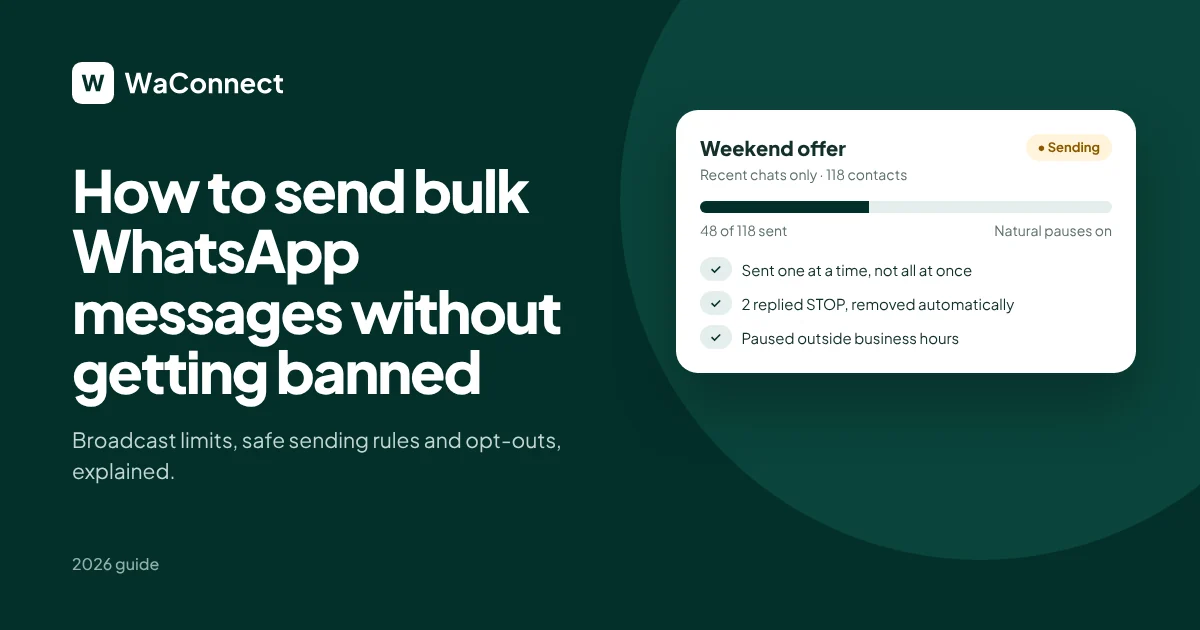
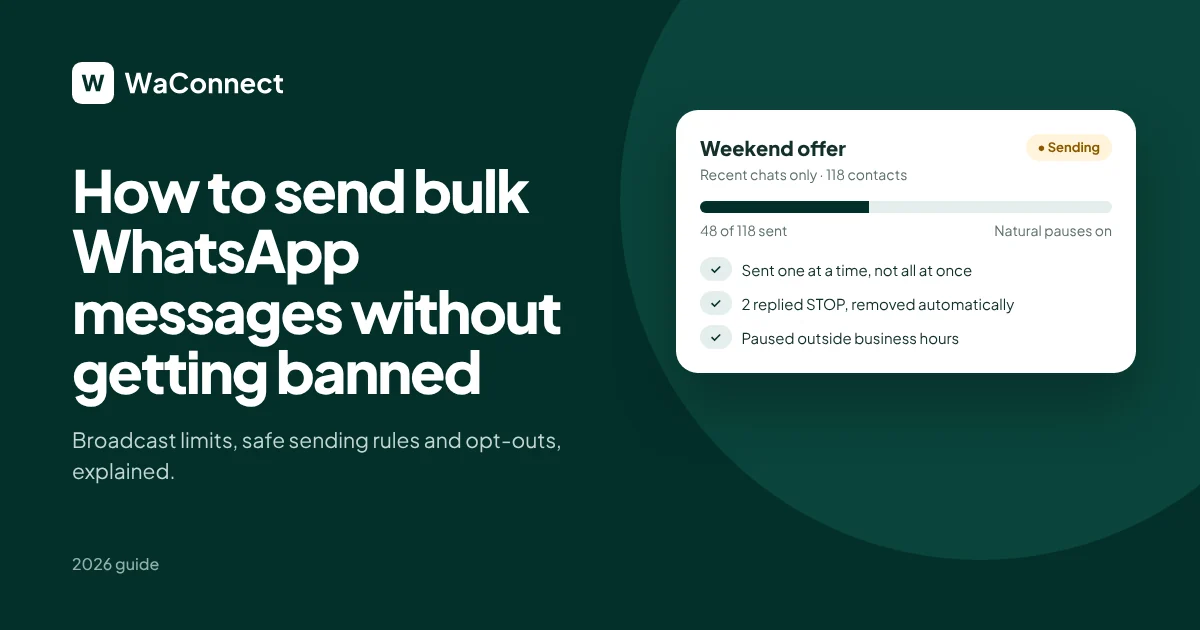
Human-like sending: campaigns go out one at a time with natural pauses, not all at once.
Recent chats only: campaigns reach people who recently messaged your business, not cold lists.
Automatic opt-outs: anyone who replies STOP or Block is excluded from future campaigns straight away.
Business hours: automated replies pause after work hours, so customers aren’t messaged at night.
Honest analytics: see sent, seen and replied for every campaign, so you know what’s working.
Instant AI answers to replies: when customers reply to a campaign, the AI answers straight away from your documents, website and Shopify store.
You can also connect your number in about 2 minutes by QR code, with no Business API or Meta approval needed.
Bulk WhatsApp Messages FAQ
How many bulk WhatsApp messages can I send per day?
WhatsApp doesn’t publish a fixed daily number for regular accounts. What matters more is how people react. If recipients reply and don’t block you, you can send more over time. If many block or report you, even small volumes can get you restricted.
Can I send bulk WhatsApp messages for free?
Yes, with broadcast lists in the WhatsApp Business app. They’re limited to 256 contacts per list, and only people who saved your number receive the message.
Why didn’t some people receive my broadcast?
With broadcast lists, anyone who hasn’t saved your number in their phone won’t receive it. WhatsApp skips them without telling you.
How do I send a WhatsApp message to multiple contacts without a broadcast list?
Use a WhatsApp campaign tool that sends personalized messages to an audience list from your own number, or the official Business API for large volumes.
Is a WhatsApp group better than a broadcast?
For marketing, usually not. In a group, everyone sees each other’s numbers and replies, which most customers don’t want. Broadcasts and campaigns arrive as private chats.
Will using a bulk messaging tool get my number banned?
The tool alone doesn’t get you banned; how you use it does. Messaging people who know you, sending gradually and honoring opt-outs keeps the risk low.
Send campaigns your customers actually want
Connect your WhatsApp number in 2 minutes and start free with $5 in credits.
Start free with $5 in credits at waconnect.ai