WhatsApp for Restaurants: Answer Every Customer Fast
WhatsApp for restaurants: answer customers in seconds with AI replies, a shared inbox and smart handover, even during the dinner rush.
On this page
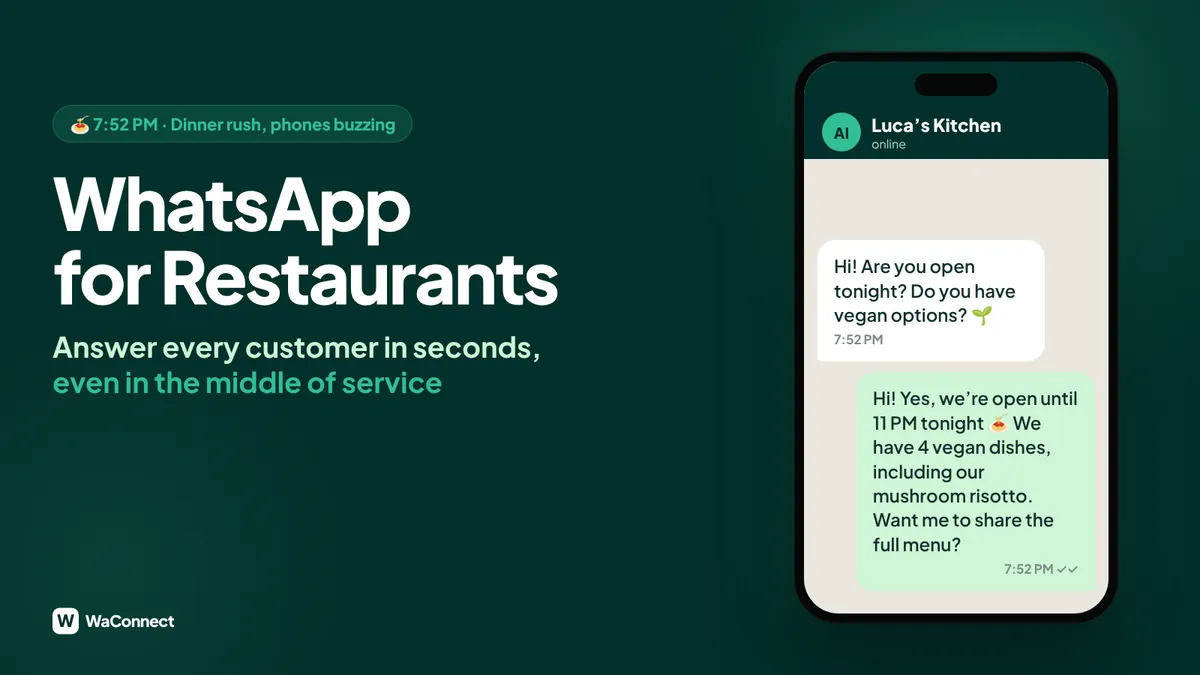
It’s 7:52 PM on a Friday. The kitchen is slammed, every table is full, and meanwhile your phone keeps buzzing. “Are you open tonight?” “Do you deliver?” “Do you have vegan options?” Nobody has a free hand to reply, so those customers quietly order somewhere else. WhatsApp for restaurants fixes that. Every customer gets a fast answer. Meanwhile, your staff stays focused on the guests in front of them.
This guide explains how WhatsApp for restaurants works with waconnect.ai. It also covers what the AI can answer and how to set it up on the number your customers already use.
What Is WhatsApp for Restaurants?
WhatsApp for restaurants means using WhatsApp to answer customers about opening hours, the menu, prices, delivery and table requests. Plus, most customers already use WhatsApp every day. As a result, a quick chat feels easier than calling during the dinner rush.
With waconnect.ai, WhatsApp Business for restaurants gets smarter. AI replies on your restaurant’s own number. It uses your website and documents, such as your menu, price list and delivery areas. When a chat needs a person, it goes straight to your team.
Why Restaurants Miss So Many WhatsApp Messages
However, in a restaurant, the busiest hours for messages are also the busiest hours for service. That’s the real problem.
Messages peak at meal times. Customers ask about tonight’s hours right when your team is busiest.
Hungry customers don’t wait. If nobody replies in a few minutes, they simply order elsewhere.
Questions repeat. Hours, menu, delivery and parking come up again and again.
Late messages pile up. By closing time, dozens of chats are still unread.
That’s why WhatsApp for restaurants works so well. A fast reply keeps the customer choosing you, not the place down the street.
What the AI Answers for Your Restaurant
In fact, most messages ask the same few things. That’s where a WhatsApp chatbot for restaurants saves your team hours. With waconnect.ai, the AI answers from your own information:
Opening hours: “Are you open on Sunday?” “What time does the kitchen close?”
Menu and prices: “Can you send me the menu?” “How much is the family platter?”
Dietary options: “Do you have vegan dishes?” “Is there a kids’ menu?”
Delivery and pickup: “Do you deliver to my area?” “Can I pick up at 8?”
Tables and groups: “Can I book for 8 people?” “Do you host birthday dinners?”
Location and parking: “Where are you located?” “Where can I park?”
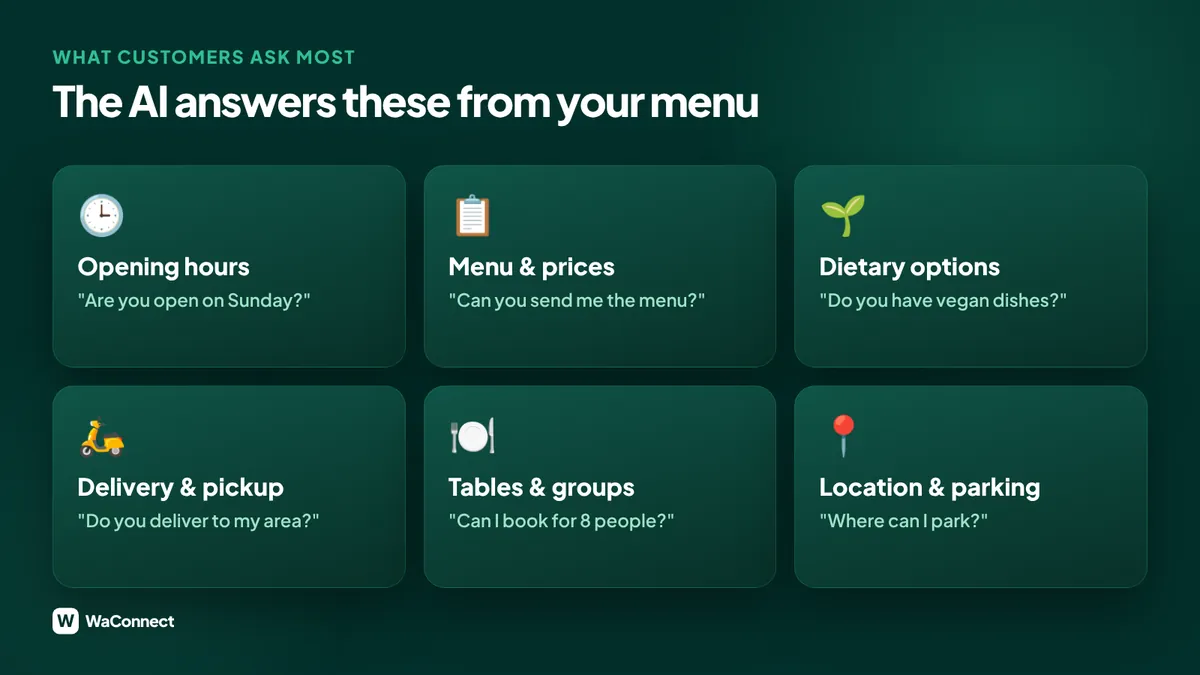
Remember, the AI answers from what you upload. So keep your menu and price list up to date, and the answers stay accurate.
How WhatsApp for Restaurants Works With waconnect.ai
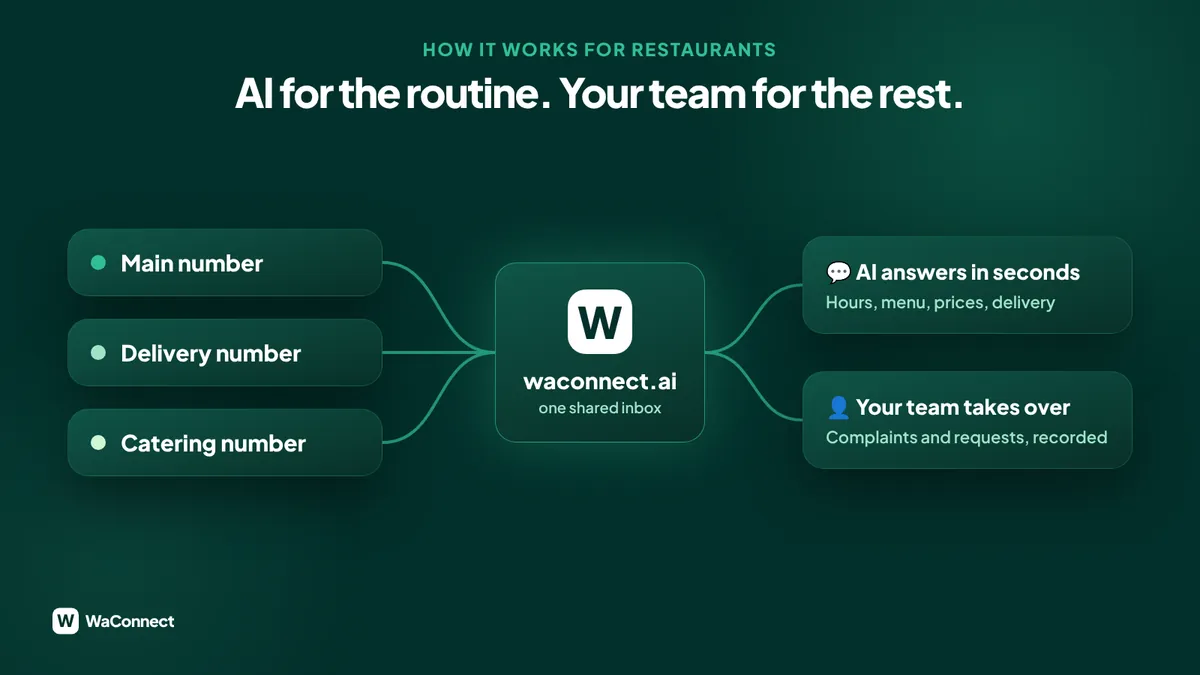
waconnect.ai gives your restaurant AI replies, one shared inbox and smart handover, all on WhatsApp.
Your Number Stays Yours
To start with WhatsApp for restaurants, you connect your existing number by scanning a QR code. It links like WhatsApp Web, so customers keep messaging the number they already know. It works whether you use WhatsApp Business for restaurants or a regular WhatsApp number.
One Inbox for Every Number
For instance, many restaurants run separate numbers for the main line, delivery and catering. waconnect.ai brings them all into one shared inbox. That way, your team sees every customer conversation in one place.
Access for Each Team Member
Also, you choose which areas each person can open. For example, your delivery staff sees delivery chats, while your manager handles catering requests.
Leads Recorded for Your Team
When a customer shows real interest, such as a large group booking or a catering request, the chat is recorded as a lead. So your manager knows exactly who to call back first.
Your Team Takes Over When It Matters
Of course, some chats need a person, such as a complaint, a special request or an allergy question. The AI hands those chats to your team and records them as escalations, so nothing gets missed.
24/7 or Opening Hours
Finally, you decide when the AI replies. Run it around the clock, or only during the hours you set.
How to Set Up WhatsApp for Your Restaurant in 4 Steps
Setting up WhatsApp for restaurants with waconnect.ai takes a few minutes:
Sign up at waconnect.ai.
Connect your restaurant number. Open WhatsApp and go to Settings → Linked devices → Link a device. Then scan the QR code.
Add your restaurant info. Add your website and upload documents such as your menu, price list and delivery areas.
Choose your hours. Pick 24/7 or opening hours, then add your team to the shared inbox.
And that’s it. From then on, the AI answers routine questions while your team focuses on the food and the guests. Because the AI never takes a break, WhatsApp for restaurants keeps working through your busiest Friday nights too.
10 Restaurant WhatsApp Message Ideas
Use these examples to see how a restaurant WhatsApp chat can sound. Change the details to match your place.
Welcome: “Hi! Thanks for messaging [Restaurant Name] 🍝 How can we help you today?”
Hours: “We’re open today from [11 AM] to [11 PM]. The kitchen closes at [10:30 PM].”
Menu: “Here’s our full menu: [link]. Our most popular dish is [dish]!”
Dietary: “Yes! We have [4] vegan dishes, including [dish].”
Delivery: “We deliver within [3 miles]. Delivery usually takes [30–40 minutes].”
Pickup: “Your order can be ready for pickup at [time]. See you soon!”
Groups: “We’d love to host your group! Our manager will contact you shortly to confirm the details.”
Location: “We’re at [address]. Free parking is available [behind the building].”
Specials: “Tonight’s special is [dish] for [price]. It goes fast!”
Thank you: “Thanks for dining with us today! We hope to see you again soon.”
Best Practices for Restaurant WhatsApp
Keep your menu current. WhatsApp for restaurants works best when prices and dishes are always up to date.
Reply in your restaurant’s voice. Friendly, warm and clear works for every customer.
Send allergy questions to your team. A person should always confirm allergy details.
Share links, not long texts. Send your menu link or photos instead of long messages.
Check your inbox weekly. See which questions come up most, then fill any gaps in your documents.
Want a full team setup? Also see our guide to the WhatsApp shared inbox.
WhatsApp for Restaurants FAQ
What is WhatsApp for restaurants?
It’s using WhatsApp to answer customers about hours, the menu, delivery and table requests. With waconnect.ai, AI replies in seconds and your team handles the rest.
Can AI answer restaurant customers during the dinner rush?
Yes. The waconnect.ai WhatsApp chatbot for restaurants answers from your website and documents. You choose 24/7 or opening hours.
Do we need a new number for restaurant WhatsApp?
No. You connect your existing restaurant number by scanning a QR code.
Can we manage our main, delivery and catering numbers together?
Yes. waconnect.ai brings every number into one shared inbox, and you choose what each team member can see.
What happens with complaints or allergy questions?
The AI hands those chats to your team and records them as escalations. That way, a real person always follows up.
Reply Fast, Fill More Tables
Your customers are already on WhatsApp. So WhatsApp for restaurants is the easiest upgrade your restaurant can make. With waconnect.ai, every question gets an answer in seconds. As a result, your team stays free for the food and the guests.
Start free at waconnect.ai