WhatsApp Away Message: 30 Best Samples to Copy (2026)
Copy 30 WhatsApp away message samples for after hours, weekends, holidays and vacations, plus how to set one up and when an AI reply works better.
On this page
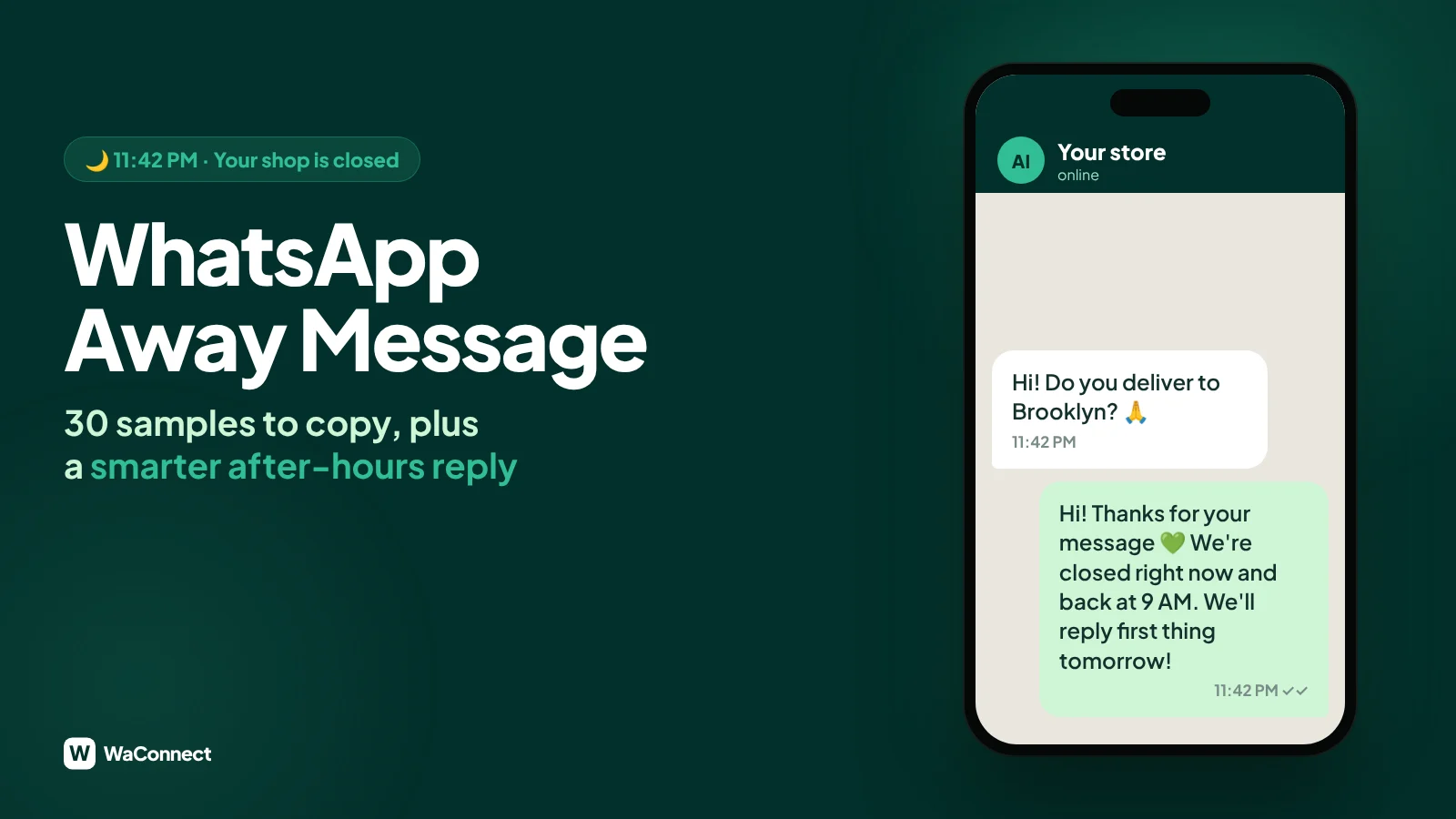
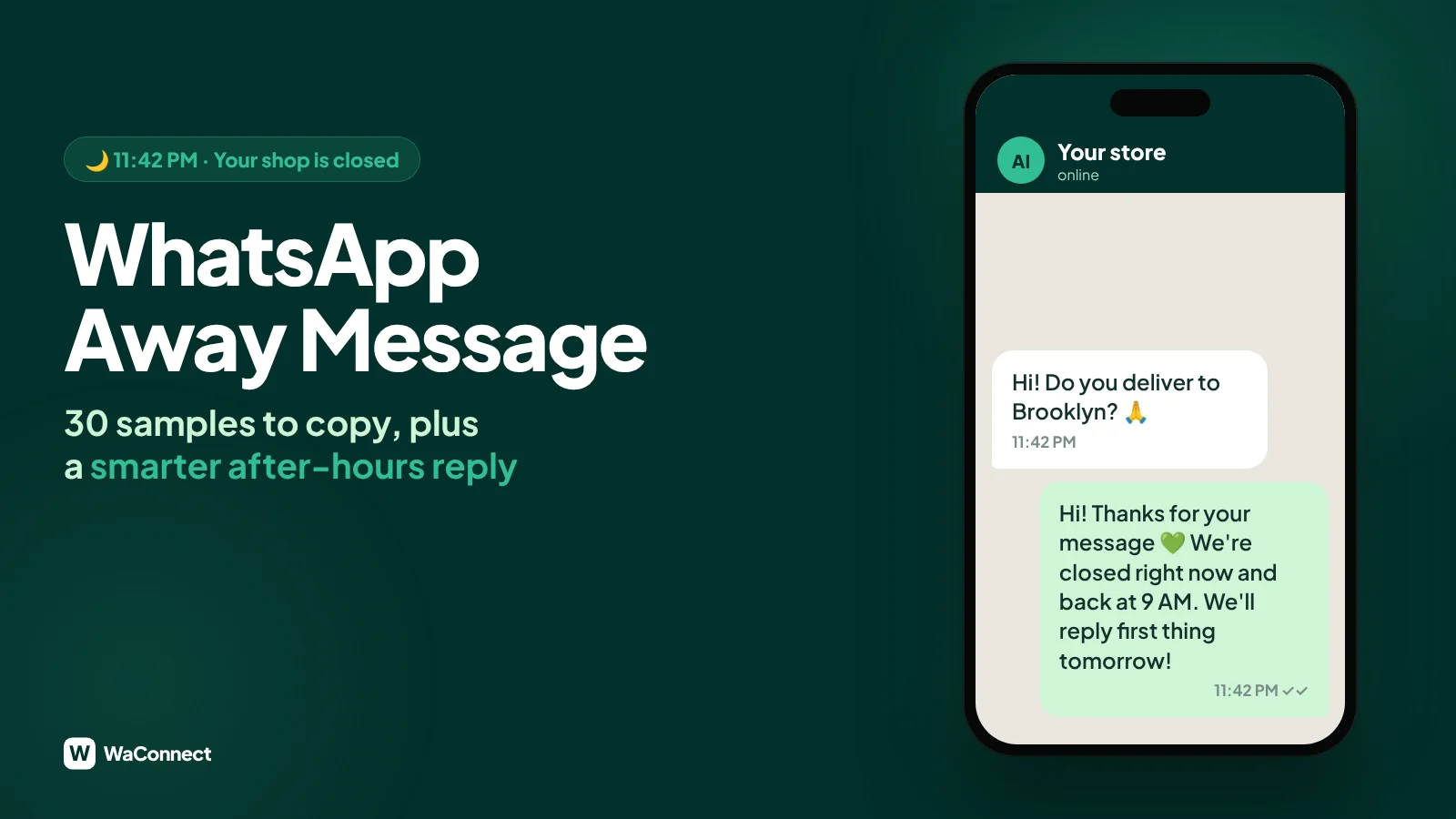
It’s 11:42 PM. A customer asks if you deliver to their area. Your shop closed hours ago, so the message sits unread until morning. By then, they’ve ordered from someone who answered. A WhatsApp away message fixes the silence: it tells customers you’ve seen them, when you’ll be back and what to do next.
This guide gives you 30 ready-to-copy away message samples, the steps to set one up in WhatsApp Business, and a smarter option for the questions that can’t wait until morning.
What Is a WhatsApp Away Message?
A WhatsApp away message is an automatic reply. The WhatsApp Business app sends it when you’re away. You write it once. You pick when it goes out and who gets it. WhatsApp does the rest.
Businesses use a WhatsApp Business away message for:
After hours: evenings and nights, once the shop closes
Weekends: when the team is off
Holidays: public holidays and seasonal closures
Out of office: vacations, events or a day away
Busy times: a lunch rush or a packed day
In short, a good away message does three things. It says the message arrived. It says when you’ll reply. And it gives the customer something to do while they wait.
How to Set Up an Away Message for WhatsApp Business
Setting up an away message for WhatsApp Business takes about two minutes:
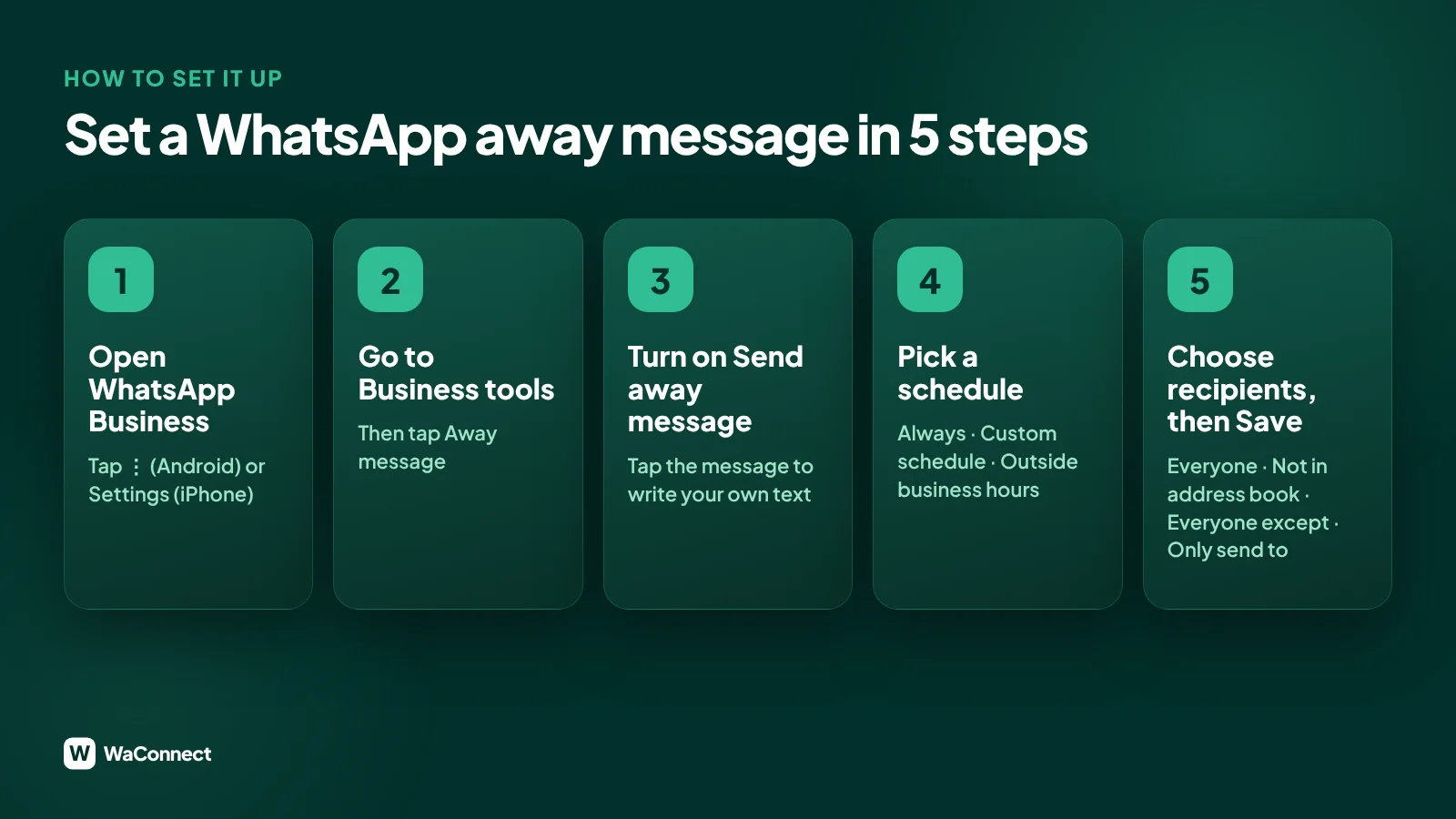
Open WhatsApp Business. On Android, tap the three dots (⋮). On iPhone, tap Settings.
Go to Business tools, then tap Away message.
Turn on Send away message, then tap the message to write your own text.
Pick a schedule: Always send, Custom schedule (for example a holiday), or Outside of business hours (uses the hours in your business profile).
Choose recipients: Everyone, Everyone not in address book, Everyone except…, or Only send to…. Then tap Save.
Before you start, add your opening hours to your business profile, so “Outside of business hours” knows when you’re closed.
30 Best Away Messages for WhatsApp Business
Need an away message WhatsApp sample you can use right now? Copy any of the 30 below and change the details in [brackets]. Two to four lines is plenty.
After-Hours Away Messages
Hi! Thanks for reaching out 😊 We’re closed right now and back at [9 AM]. We’ll reply first thing in the morning!
Hello! You’ve messaged [Business Name] after hours. Our team is back [tomorrow at 9 AM] and we’ll get right back to you.
Thanks for your message! We’re open [Mon–Sat, 9 AM–7 PM]. Leave your question here and we’ll answer as soon as we’re back.
Hi there 🌙 We’ve closed for the night, but your message is safe with us. Expect a reply by [10 AM].
Thanks for contacting [Business Name]! Our hours are [9 AM–6 PM]. Meanwhile, browse our [menu/catalog] here: [link]
Weekend Away Messages
Happy weekend! 🎉 We’re off until Monday at [9 AM]. We’ll reply to every message as soon as we’re back.
Hi! Our team is away for the weekend. For orders, visit [website] anytime. For everything else, we’ll reply on Monday.
Thanks for your message! We’re closed on [Sundays] and will get back to you [Monday morning].
Holiday Away Messages
Season’s greetings! 🎄 We’re closed from [Dec 24] to [Dec 26] and will reply on [Dec 27]. Happy holidays!
Happy [Holiday]! Our team is celebrating with family today. We’re back on [date] and will reply then.
Hi! We’re closed for [Holiday] and back on [date]. Orders placed on [website] still ship on [date].
Thanks for messaging us! We’re on a short holiday break until [date]. Your message is in the queue and we’ll reply soon after.
Out of Office WhatsApp Messages
Hi! I’m out of the office until [date] with limited access to messages. For urgent help, contact [name] at [number].
Thanks for your message! I’m traveling until [date] and will reply as soon as I’m back.
Hello! I’m away at [event] until [date]. I’ll get back to you then.
I’m on vacation until [date] 🌴 For bookings, use [link]. For anything else, I’ll reply when I’m back.
Busy or Lunch Break Away Messages
Hi! We’re on a lunch break until [2 PM] 🍽️ We’ll reply right after.
Thanks for waiting! We’re with customers right now and will reply within [30 minutes].
Hi! We’re getting a lot of messages today, so replies may take a little longer. We’ll get to you soon!
Away Messages for Restaurants and Cafes
Hi! The kitchen is closed for tonight 🍕 We open tomorrow at [11 AM]. See our menu here: [link]
Thanks for your message! Reservations open at [10 AM]. Leave your date, time and party size and we’ll confirm in the morning.
Away Messages for Salons and Clinics
Hi! Our salon is closed right now 💇 Book anytime at [link], or leave your preferred time and we’ll confirm tomorrow.
Thanks for contacting [Clinic Name]. We’re closed and will reply when we reopen at [8 AM].
Away Messages for Online Stores
Hi! Thanks for shopping with [Store Name] 🛍️ Our support team is back at [9 AM]. Track your order here: [link]
Hello! We’ve received your message. Orders placed tonight still ship [tomorrow]. We’ll answer any questions in the morning.
Thanks for your message! For sizes, prices and stock, check [link]. Our team replies from [9 AM to 6 PM].
Away Messages for Real Estate and Services
Hi! Thanks for asking about [property/service]. I’m out on a viewing right now and will call you back by [time].
Thanks for reaching out to [Business Name]! We’re closed for today. Leave your name and the service you need, and we’ll call you tomorrow.
Away Messages for Hotels
Welcome to [Hotel Name]! 🏨 For room availability, book at [link]. Our reservations team replies from [8 AM to 10 PM].
Thanks for your message! For anything urgent during your stay, please call the front desk at [number].
How to Write a WhatsApp Away Message That Works
Use these five rules to make every WhatsApp away message clear and useful.
Say when you’ll reply. “Back at 9 AM” builds more trust than “we’ll get back to you.”
Keep it short. Customers read it on a phone.
Give a next step. A menu, catalog, booking or tracking link keeps the customer moving.
Sound like your brand. A café can use emojis. A law firm probably shouldn’t.
Keep it current. An old holiday message running in March looks careless.
Why a WhatsApp Away Message Isn’t Always Enough
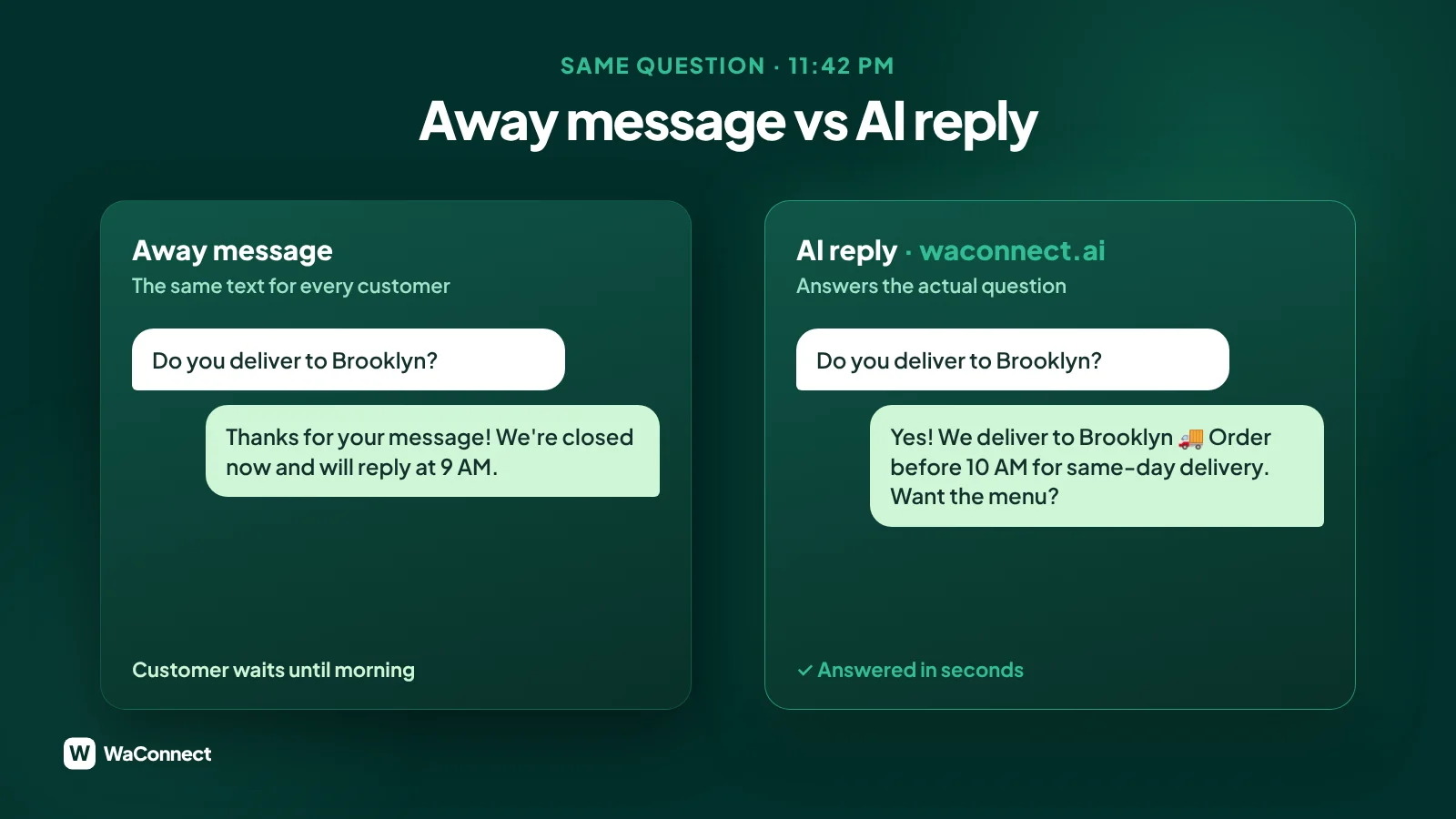
However, a WhatsApp away message sends the same text to everyone. The customer who asks “Do you deliver to Brooklyn?” at 11 PM gets the same reply as everyone else: come back tomorrow.
Many after-hours questions have simple answers:
prices
opening times
delivery areas
stock
booking slots
return policy
Each one is a sale waiting to happen, and a customer who’s ready to buy at midnight often won’t wait for your WhatsApp away message to run out.
A Smarter After-Hours Reply With waconnect.ai
waconnect.ai adds AI replies to the WhatsApp number your business already uses. As a result, The AI reads each question. Then it answers in seconds, using what you’ve taught it.
Connect your number. Open WhatsApp, go to Settings → Linked devices → Link a device, and scan the QR code. Your number stays yours.
Train the AI on your business. Add your website and documents, such as your menu, price list or FAQ. Connect Shopify and the AI answers stock and price questions from your store.
Choose when the AI replies. Run it 24/7, or only during the business hours you set.
This way, the same 11:42 PM question gets a real answer: “Yes, we deliver to Brooklyn. Order before 10 AM for same-day delivery.” The customer gets their answer. Your team wakes up to a sale, not a lost lead.
When a Chat Needs a Person
Some chats need a person, like a complaint or a refund. The AI hands those to your team and logs them. Your team replies from one shared inbox, across every number you connect.
Want to see how the AI learns your business? Read our guide to the WhatsApp AI chatbot for business.
WhatsApp Away Message vs AI Reply
WhatsApp away messageAI reply with waconnect.aiWhat the customer getsThe same text for everyoneAn answer to their questionBest forSaying when you’re backPrices, stock, hours and bookings, instantlySetupWhatsApp Business appQR scan plus your website and documentsRunsOn the schedule you pick24/7 or your business hoursHands off to your team—Yes, complaints and special requests
That’s why many businesses use both. The away message covers holidays. AI replies handle everyday questions at night.
WhatsApp Away Message FAQ
How do I set an away message on WhatsApp Business?
Open WhatsApp Business and go to Business tools → Away message. Turn on Send away message, write your text, pick a schedule and recipients, then tap Save.
Can I schedule a WhatsApp away message for a holiday?
Yes. Choose Custom schedule and set the start and end date and time.
What is the best away message for WhatsApp Business?
One that says when you’ll reply and gives a next step, like “We’re closed now and back at 9 AM. Browse our menu here: [link].”
Is an out of office WhatsApp message the same as an away message?
Yes. “Out of office” is what most people call the away message when they’re on vacation or traveling.
Can AI answer my WhatsApp customers while I’m closed?
Yes. waconnect.ai answers from your website, documents and Shopify store, 24/7 or during the hours you set, and hands complaints to your team.
Answer Every WhatsApp Message, Even After Hours
Pick a sample above and set up your WhatsApp away message today. After that, connect your number to waconnect.ai and let AI answer the questions that can’t wait.
Start free at waconnect.ai