WhatsApp Webhook: Receive Messages in Real Time (2026 Guide)
A WhatsApp webhook pushes every message and status to your server in real time. See the events, the payload, and code to receive them in Node.js and Python.
On this page
Sending WhatsApp messages from your app is only half the story. You also need to know when a customer replies, when your message was delivered, and when it was read. A WhatsApp webhook does exactly that: it pushes every event to your server the moment it happens.
This guide explains how a WhatsApp webhook works with waconnect.ai, which events you can receive, what the payload looks like, and how to handle it in Node.js and Python.
What Is a WhatsApp Webhook?
A WhatsApp webhook is a URL on your server that waconnect.ai calls whenever something happens on your connected numbers. Instead of asking for updates again and again, your app simply listens, and the data arrives in real time.
With a webhook, your app can:
Receive WhatsApp messages from customers instantly
Track WhatsApp message status: sent, delivered, read or failed
Know when a number connects or disconnects
Trigger automations, like updating your CRM or alerting your team
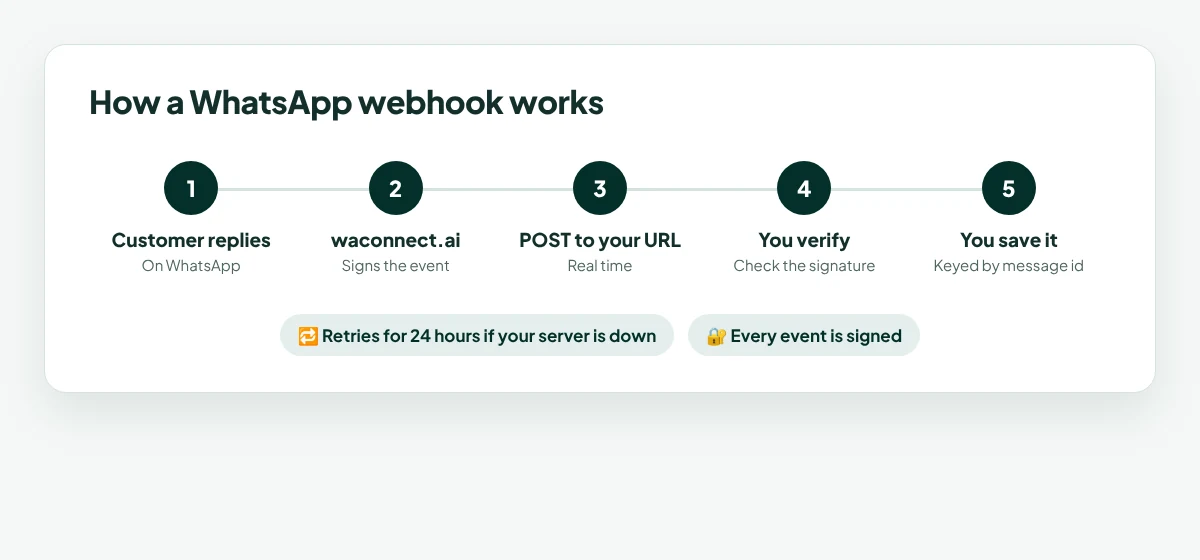
How a WhatsApp Webhook Works
A customer sends a message to one of your connected numbers.
waconnect.ai creates an event and signs it.
waconnect.ai sends a POST request to your webhook URL.
Your server verifies the signature and saves the event.
Your server replies with a 2xx status to confirm it was received.
If your server is down, waconnect.ai keeps retrying for 24 hours, so you don’t lose events.
WhatsApp Webhook Events
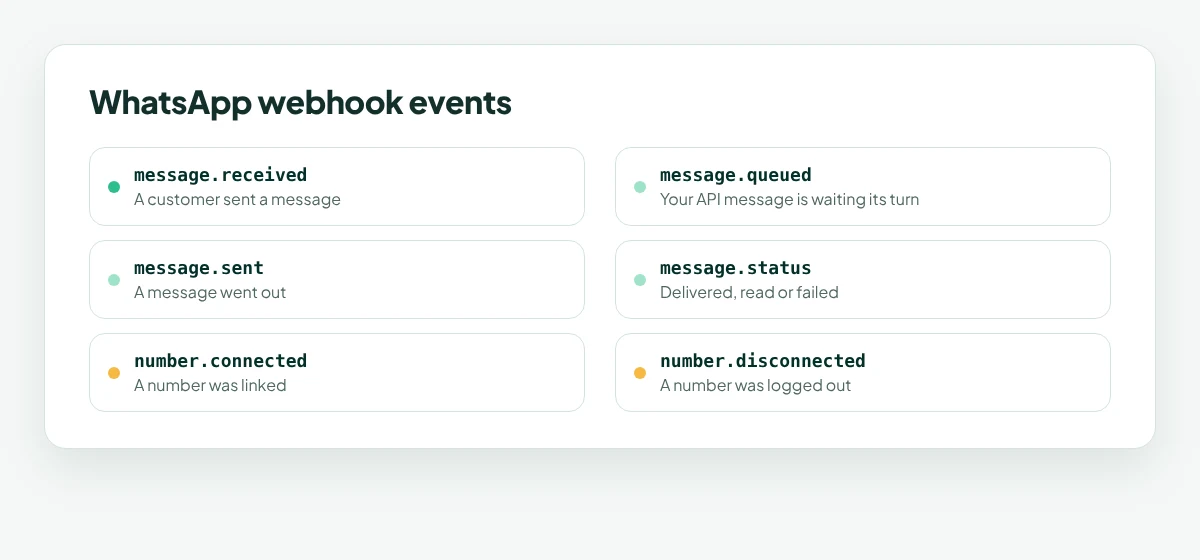
You choose which events each webhook receives in the waconnect.ai dashboard. These are the main WhatsApp webhook events:
message.received: a customer sent a message to one of your numbers
message.queued: your API message was accepted and is waiting its turn
message.sent: a message went out, through the API or typed on the phone
message.status: a sent message was delivered, read, or failed
number.connected: a number was linked
number.disconnected: a number was logged out
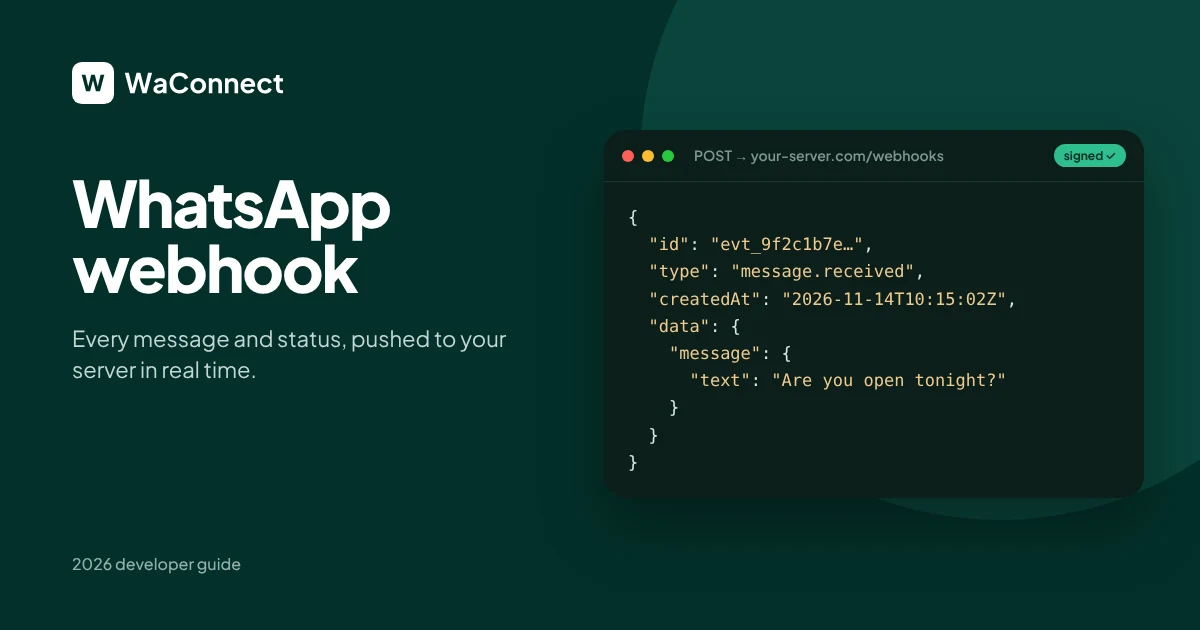
The WhatsApp Webhook Payload
Every event arrives in the same envelope, so one handler can process them all:
Code:
{
“id”: “evt_9f2c1b7e4a6d4c0f8e3b2a1d5c6f7e80”,
“type”: “message.received”,
“createdAt”: “2026-11-14T10:15:02.000Z”,
“data”: {
“message”: { }
}
}
The id is unique per event, type tells you what happened, and data carries the details. Every message event includes the whole message: the number, the contact, the text, the status and the time.
How to Set Up a WhatsApp API Webhook
Create an endpoint on your server, for example https://your-server.com/webhooks/waconnect.
Add the URL in the waconnect.ai dashboard.
Choose the events you want to receive.
Verify the signature on every request.
Save each event and respond quickly.
Here is a simple receiver in Node.js:
Code:
import express from “express”;
const app = express();
app.use(express.json());
app.post(“/webhooks/waconnect”, async (req, res) => {
// 1. Verify the signature first (see Verify webhooks in the docs)
const event = req.body;
// 2. Save the event, keyed by its id
await saveEvent(event.id, event);
// 3. Respond fast, then do heavy work in the background
res.sendStatus(200);
});
app.listen(3000);
And the same receiver in Python:
Code:
from flask import Flask, request
app = Flask(name)
@app.post(“/webhooks/waconnect”)
def waconnect_webhook():
# 1. Verify the signature first (see Verify webhooks in the docs)
event = request.get_json()
# 2. Save the event, keyed by its id
save_event(event["id"], event)

# 3. Respond fast
return "", 200
Handling Each Event Type
Once an event arrives, route it by type:
message.received: save the message and show it in your app, or start an automation
message.status: update the message in your database to delivered, read or failed
message.sent: record messages your team typed on the phone, so your app has the full history
number.disconnected: alert your team so they can reconnect the number
WhatsApp Webhook Best Practices
Verify every signature before trusting the data
Respond quickly with a 2xx status, and do heavy work in the background
Save events by id, so a retried event never creates a duplicate
Store messages as they arrive, keyed by message id, to build your full history
Use test keys while building, and live keys in production
Send and Receive: The Full Loop
A WhatsApp webhook pairs with the send API. Your app sends a message with one POST request, and the WhatsApp webhook tells you when it was delivered and read, and when the customer replies. Read our guide to the send WhatsApp message API to set up the sending side.
How waconnect.ai Works for Developers
One API call to send, one WhatsApp webhook to listen
Signed webhook events with 24 hours of retries
Your users’ existing numbers, connected by QR code
A connect widget you can embed in your own app
Live and test keys, and 120 requests per minute per key
Prepaid credits, with 500 free credits to start
WhatsApp Webhook FAQ
What is a WhatsApp webhook?
A WhatsApp webhook is a URL on your server that receives every message and status event from your connected WhatsApp numbers in real time.
How do I receive WhatsApp messages in my app?
Add a WhatsApp webhook URL in the waconnect.ai dashboard and subscribe to message.received. Every customer message arrives on your server as an event.
How do I track WhatsApp message status?
Subscribe to message.status. You’ll get an event when a message is delivered, read, or failed.
Are waconnect.ai webhooks secure?
Yes. Every webhook event is signed, so you can verify it really came from waconnect.ai.
What happens if my server is down?
waconnect.ai keeps retrying the WhatsApp webhook for 24 hours.
How much does it cost?
waconnect.ai uses prepaid credits, and new accounts start with 500 free credits.
Start receiving WhatsApp messages in your app
Add your webhook in minutes and start free with 500 credits.
Start free with 500 credits at waconnect.ai